 how-to
Virtual Staging for Vacant Listings: A Guide
Table of Contents
- How Virtual Staging Works for Vacant Properties
- Benefits of Virtual Staging for Vacant Listings
- Virtual Staging Disclosure Requirements and Legal Compliance
- Best Virtual Staging Software for Realtors
- Virtual Staging vs Physical Staging: When to Choose Each
- Step-by-Step Workflow for Agents Using Virtual Staging
- Photography and Technical Requirements for Staging Success
- Frequently Asked Questions
Last Updated: September 23, 2026
How Virtual Staging Works for Vacant Properties
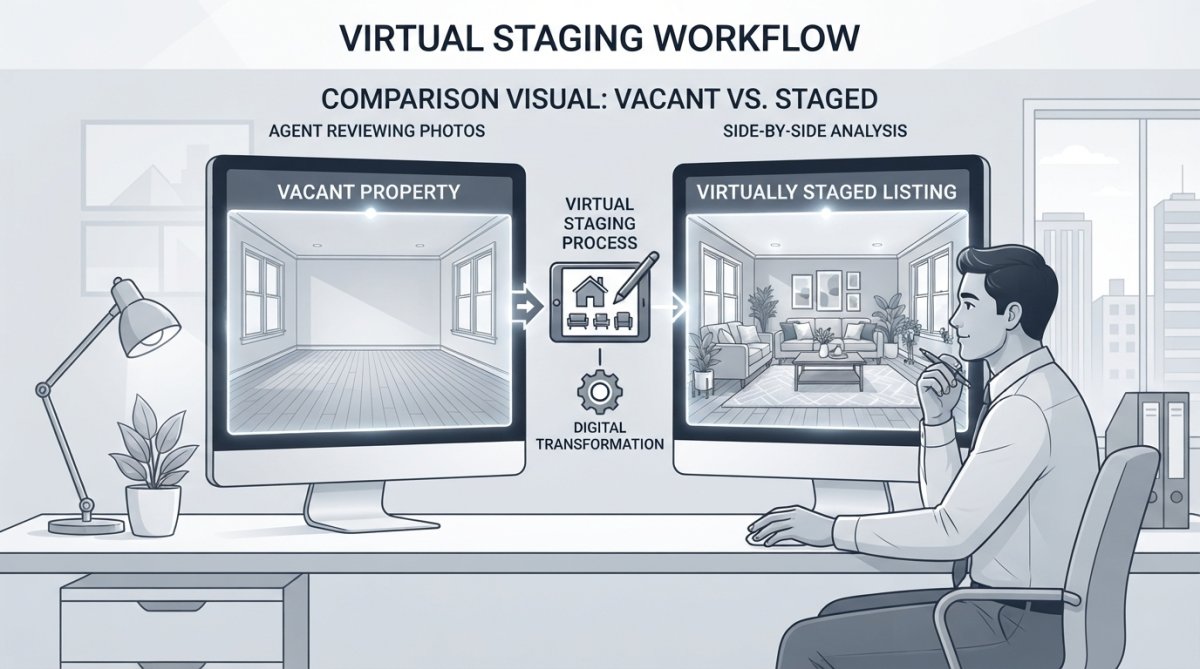
Virtual staging vacant listings uses digital furniture and design elements to fill empty rooms in real estate photos. A photographer captures the vacant space, then a designer adds realistic furniture, decor, and accessories using specialized software. The result looks like a professionally furnished home ready for buyers to envision living there.
The process requires high-quality photography, lighting, angles, and resolution matter because the software needs clear reference points to add digital elements convincingly. Designers then place virtual furniture to match the room's proportions and style. Virtual staging works best for properties with good bones but empty rooms, particularly new construction, foreclosures, and homes between owners. Modern software creates photorealistic results that buyers often cannot distinguish from actual furniture.
Benefits of Virtual Staging for Vacant Listings
Virtual staging vacant listings dramatically improves buyer perception and engagement. Properties with virtual staging attract more showings and generate more online leads because buyers click on listings with appealing interior photos and skip empty-looking ones.
Virtual staging costs a fraction of traditional staging and allows you to create multiple design versions of the same room to appeal to different buyer segments.
Virtual staging delivers results within hours instead of days, enabling fast listing launches. It also offers flexibility to test different design approaches and appeal to multiple buyer demographics without physical changes. Buyers form emotional connections to spaces that feel lived-in, and virtual staging creates that feeling digitally, making vacant properties more competitive.
Virtual Staging Disclosure Requirements and Legal Compliance
Disclosing virtual staging is legally required in most jurisdictions, but the liability landscape is more complex than many agents realize. The National Association of Realtors Code of Ethics requires that all marketing materials clearly identify any virtual staging or digital alterations. However, this ethical standard is only the starting point. Agents and brokers face potential liability under state consumer protection statutes, fair housing laws, and common-law fraud doctrines if virtual staging crosses the line from "aspirational presentation" into material misrepresentation.
State-Level Liability Exposure
States like California and New York require that virtual staging must not depict features or conditions that do not exist or cannot reasonably be achieved. For example, staging a room with a fireplace when none exists, or adding windows to a windowless space, can constitute fraud. Staging a vacant living room with furniture is permissible; staging a room with non-existent architectural features is not.
Verify your state's specific rules, some require virtual staging labeled on every image, others require disclosure only in the listing description. Consult your state real estate commission or broker's legal counsel for clarity on your jurisdiction's requirements.
MLS Disclosure Fields and Documentation
Most MLS platforms now include specific fields for flagging virtually staged photos. The National Association of Realtors MLS Standards recommends that virtual staging be disclosed in listing remarks and that photos be tagged with a standardized indicator. However, compliance varies widely. Some MLS systems enforce these fields; others make them optional. Check your local MLS rules before uploading listings. If your MLS does not have a virtual staging field, add a clear statement in the listing description: "Certain interior photos have been virtually staged to show design potential."
Documentation is your legal shield. Keep records showing which images were virtually staged, when staging was applied, and what disclosures were made. Save the original vacant photos alongside the staged versions. If a buyer later claims they were misled, you'll have proof of what was disclosed and when. This documentation also protects you if a complaint is filed with your broker or state real estate commission.
Consumer Protection and Fair Housing Considerations
Virtual staging must not violate fair housing laws. Avoid staging images that suggest the property is suitable only for a particular protected class. Stage homes in ways that appeal broadly to multiple buyer demographics.
The FTC Guidelines on Endorsements and Testimonials also apply when virtual staging is used in marketing materials or advertising. Any claims about virtual staging, such as "virtually staged homes sell 20% faster" or "staging increases buyer interest", must be truthful and substantiated with reliable evidence. Avoid exaggerated promises. Stick to factual statements: "This image shows virtual staging to help buyers envision the space furnished."
Broker Liability and Agency Policies
Review your broker's virtual staging policy before using it. If your broker has no policy, request guidance from their legal counsel. If a buyer disputes staged photos, respond promptly with copies of disclosure statements and original photos. Do not delete or alter records. Transparency and documentation are your best defense against liability claims.
Best Virtual Staging Software for Realtors
Most virtual staging platforms offer similar core features: furniture placement, color adjustments, lighting enhancements, and design templates. Some provide AI-powered automation for speed with less control; others use professional designers for higher-quality results but longer turnaround. The best choice depends on your budget, volume, and technical comfort level.
Pricing varies, some charge per-image, others offer subscriptions. High-volume agents often find subscriptions more cost-effective. Consider your workflow: automated staging saves time for high-volume agents; designer-handled staging suits luxury specialists. Check MLS integration and test platforms before committing.
Virtual Staging vs Physical Staging: When to Choose Each
Virtual staging works better for vacant properties, new construction, and fast-moving markets, results arrive in hours at lower cost. Physical staging suits occupied homes and properties with frequent showings. Some agents combine both: virtual staging for online photos, physical staging for open houses. Consider property type (condos ideal for virtual; larger homes for physical) and market conditions (virtual staging more cost-effective in slow markets).
Step-by-Step Workflow for Agents Using Virtual Staging
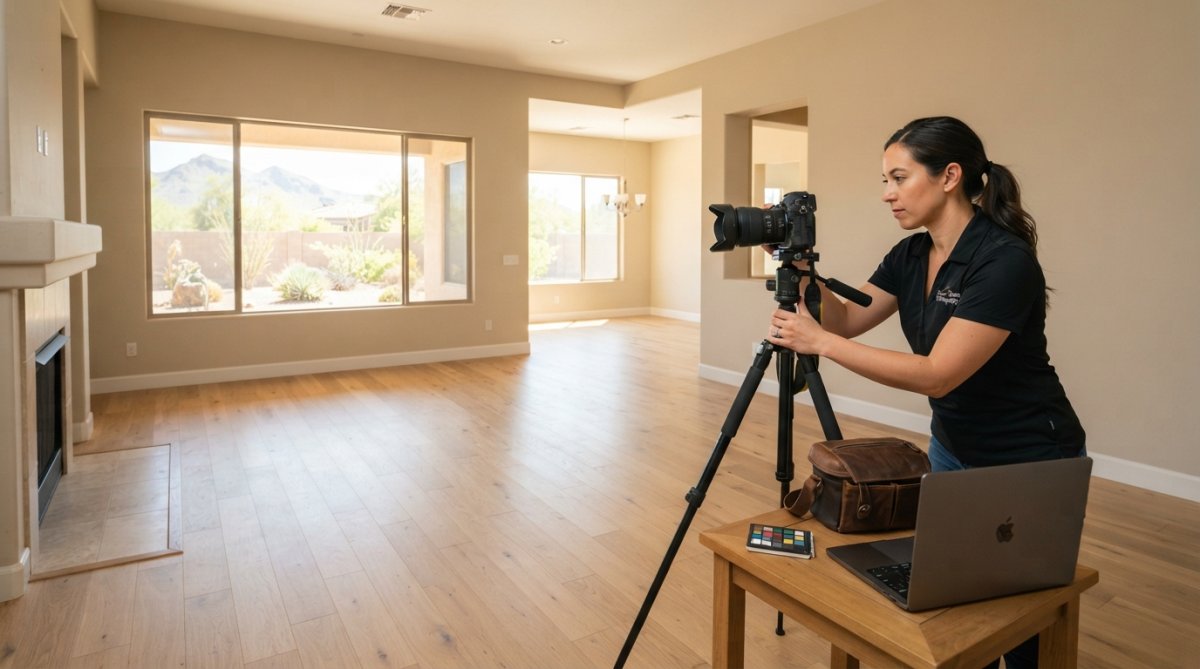
Start by scheduling professional photography. Virtual staging depends on high-quality base images. Poor lighting, wrong angles, or low resolution will undermine even excellent staging work.
Before the photoshoot, walk through the property and identify which rooms benefit most from staging. Not every room needs it. Focus on spaces that feel empty or lack visual appeal. The master bedroom, living room, and kitchen usually benefit most.
Communicate with your photographer about virtual staging plans. Explain which rooms you want staged. Good photographers understand how to frame vacant spaces for staging, capturing angles and lighting that work well with digital furniture placement.
Upload photos to your staging platform and select a design style matching the property's architecture and target buyer demographic. Review results carefully for furniture placement, scale, and natural lighting. Once approved, add staging disclosures to your listing and mark which photos are virtually staged. Upload both original and staged photos to all platforms, some buyers prefer empty spaces, others prefer furnished versions. Track performance to understand which properties benefit most from staging and which design styles resonate with your market.
Photography and Technical Requirements for Staging Success
Virtual staging depends entirely on base photograph quality. Understanding technical requirements and communicating them to your photographer is essential for professional results.
Resolution and File Specifications
Minimum resolution should be 2000 pixels on the longest edge; 3000+ pixels is ideal for luxury properties. Save JPEG files at 90% quality or higher. Convert RAW files to high-quality JPEG before uploading, as most software does not accept RAW formats. Use sRGB color space for consistent color reproduction across devices.
Focal Length and Perspective Correction
Use standard focal lengths (35-50mm full-frame equivalent) for realistic proportions; avoid ultra-wide angles that introduce perspective distortion. Perspective correction is critical, walls should appear straight and parallel. Request that your photographer apply perspective correction in post-processing using tools like Lightroom or Capture One.
Lighting and Color Balance
Consistent, even lighting is essential, harsh shadows or uneven illumination make digital furniture look out of place. Use soft, diffused light on overcast days or north-facing windows. Avoid direct sunlight during peak hours (10 a.m.-3 p.m.). For evening shots, use professional lighting equipment (softboxes, umbrellas, LED panels). Set white balance to daylight (5500K) or use a gray card reference to ensure consistent color temperature across all photos.
Clutter Removal and Space Preparation
Before photography, clear the property of all boxes, debris, personal items, and clutter. Vacant rooms should look clean and empty, not abandoned or neglected.
Multiple Angles and Composition
Post-Processing Workflow
Mobile-First Optimization
Technical Checklist for Photographers
- Minimum 2000 pixels on longest edge (3000+ preferred)
- Focal length 35-50mm full-frame equivalent (avoid ultra-wide angles)
- Perspective correction applied in post-processing
- Neutral white balance (5500K or custom gray card reference)
- Soft, even lighting throughout the room
- No harsh shadows or bright spots
- Clutter removed; space clean and empty
- Multiple angles per room (minimum 2, ideally 3)
- Consistent post-processing across all photos
- Mobile-optimized composition (clear, bold, not overly detailed)
Frequently Asked Questions
What is the fastest way to use virtual staging for vacant listings?
The fastest workflow starts with professional listing photos of the vacant space, then uploads them to virtual staging software where you add digital furniture and décor. Most agents complete this in 24-48 hours. Professional photography is critical, poor image resolution, inconsistent lighting, or perspective distortion will make staged furniture look unrealistic. Many agents coordinate virtual staging with their photography session to streamline turnaround time and ensure the property shows well online quickly.
What are the legal requirements for disclosing virtual staging in listings?
Disclosure requirements vary by state and local MLS rules. Most jurisdictions require agents to clearly disclose that images are digitally staged, either in the listing description or photo captions. The National Association of Realtors recommends transparency to protect consumer trust and avoid liability. Check your local MLS compliance rules and state real estate board guidelines before publishing. Many agents include a note like 'virtually staged' or 'digitally furnished' on staged photos to meet disclosure requirements and maintain ethical standards.
How much does virtual staging cost compared to traditional staging?
Virtual staging costs significantly less than physical staging, which requires renting furniture, delivery, installation, and labor. Pricing depends on quantity, delivery timeline, and software features. Contact Desert Home Photography for current pricing and package options tailored to your listing volume and needs.
Does virtual staging actually help sell homes faster?
Virtual staging improves buyer perception by showing vacant properties' potential, which can increase online leads and showings. Homes with staged photos typically attract more interest than empty-space images because buyers struggle to visualize vacant rooms. Combined with professional photography and proper lighting, virtual staging helps properties convert faster. Track conversion metrics, click-through rates, showing requests, and days-on-market, to measure impact on your listings.