 how-to
3D Tours: Increasing Real Estate Conversion Rates
Last Updated: October 23, 2026
Quick Summary
3D tours raise listing clicks by about 40%, but Harvard's review of 75,000 sales found no significant price lift. To increase conversion, place the tour where viewers see it, end it with a clear call to action, follow up with viewers fast, and track showing requests per 100 tour opens.
- Matterport reports up to 31% faster sales and 9% higher average prices from virtual tours.
- Target 60 to 120 seconds of guided movement, since longer tours get abandoned.
- Compare tour cost per showing request against your other lead sources before renewing.
- Test tour placement first, then CTA wording, then follow-up timing, one variable at a time.
- Follow up instantly, same day, and on day three after a buyer finishes a tour.
Table of Contents
- Why 3D Tours Belong in Your Conversion Strategy
- How to Create an Engaging Virtual Tour That Converts
- Choosing Real Estate Virtual Tour Software
- The Cost of a 3D House Tour and ROI Benchmarks
- Virtual Tour Calls to Action That Drive Showings
- Tracking Conversions and A/B Testing Tour Placement
- Lead Capture and Post-Tour Follow-Up
- Conclusion
- Frequently Asked Questions
Why 3D Tours Belong in Your Conversion Strategy
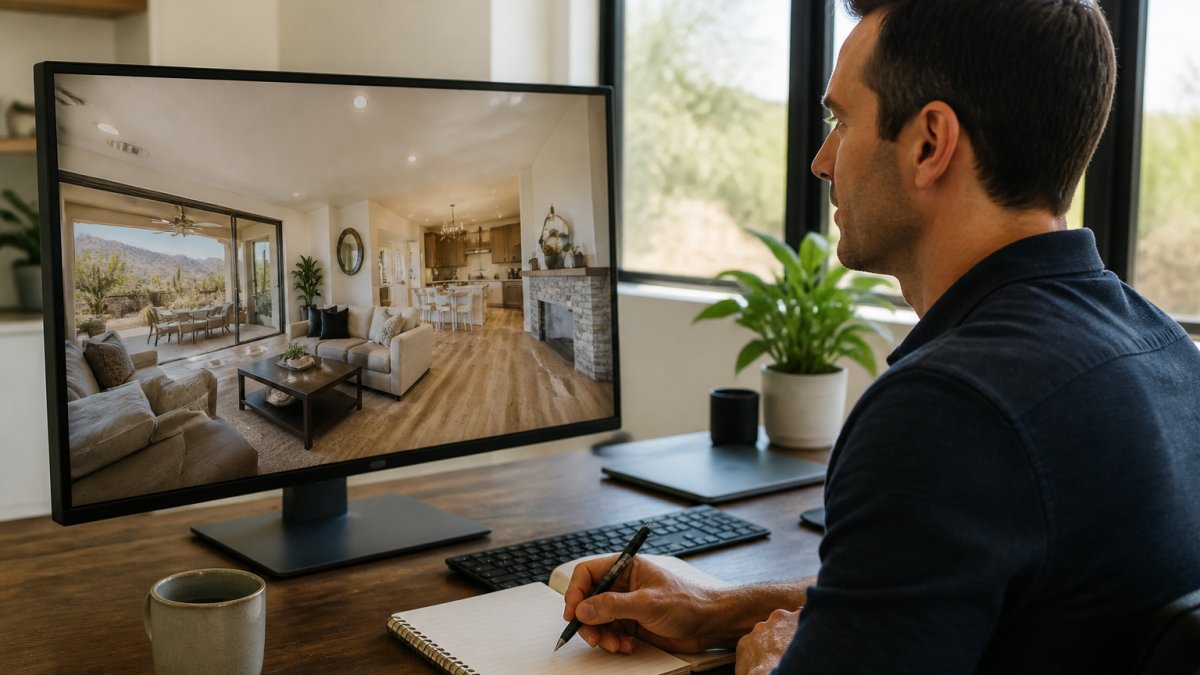
The case for 3D tours rests on a split verdict. Listings with virtual tours draw about 40% more clicks than listings without them, according to Matterport's data on listing engagement. But Harvard Business School research covering 75,000 home sales found that 3D tours did not significantly boost sale prices and may even stretch time on market.
So treat 3D tours as a top-of-funnel asset that needs a middle and bottom to work. Here is how to build those parts.
What the Data Says About 3D Tours and Conversions
The numbers conflict, and that is the point. Matterport reports up to 31% faster sales and 9% higher average prices; Harvard's summary of 75,000 sales found no significant price lift and possible longer time on market.
Both can be true: tours attract more clicks, and more clicks mean more unqualified browsers.
What actually moves conversion is what you do after the click:
- Where the tour sits on the listing page
- Whether it ends in a clear call to action
- How fast you follow up with viewers
Most agents skip all four. That is your opening.
How to Create an Engaging Virtual Tour That Converts
An engaging virtual tour answers a buyer's real question in under two minutes, then asks for a showing. Everything else is decoration.
Here is how to build one:
- Shoot the entry sequence first. Front exterior, entryway, main living space. Buyers decide in the first 15 seconds.
- Order rooms by buyer priority. Kitchen, primary suite, then secondary spaces. Skip the laundry room until last.
- Keep room-to-room navigation smooth. One clear path, no dead ends, no jump cuts between floors.
- Add a floor plan overlay. Spatial understanding is the whole reason buyers open a 3D tour.
- Light every room properly. Valley homes have harsh afternoon sun and dark interior corners. Hand-blended editing fixes both.
- End on a call to action. Not a fade to black. A button, a phone number, a next step.
Tour Length, Order, and Room-to-Room Navigation
Target 60 to 120 seconds of guided movement. Longer tours get abandoned; shorter ones miss the layout story.
Order matters more than length. A buyer who cannot find the primary suite in the first minute assumes the layout is bad, not the tour.
Choosing Real Estate Virtual Tour Software
Real estate virtual tour software falls into three buckets: capture-and-host platforms, MLS add-on tour builders, and full-service providers who shoot and publish for you.
- Capture-and-host platforms suit agents who shoot their own tours and want hosting plus analytics.
- MLS add-ons are cheap and fast but rarely give you placement testing or lead capture.
- Full-service providers cost more per listing and remove the learning curve entirely.
If you are comparing platforms feature by feature, a guide to virtual tour software for agents can break down capture quality, hosting, and tracking side by side.
What most agents miss: the software matters less than whether it exports view data you can act on.
The Cost of a 3D House Tour and ROI Benchmarks
Pricing for a 3D house tour depends on square footage, scan positions, hosting terms, and whether a photographer shoots it or you do.
The ROI math is simpler than the pricing. Compare three numbers per listing:
| Metric | What to Measure | Why It Matters |
|---|---|---|
| Tour views | Total opens per listing | Tells you if the tour is being found |
| Showing requests | Requests per 100 tour views | Your real conversion rate |
| Days on market | Compared to your non-tour listings | Ties tours to outcomes |
| Cost per showing request | Tour cost ÷ requests generated | The number that decides if it pays |
If a tour costs more per showing request than your other lead sources, cut it or fix the page around it.
For ordering, turnaround, and what to expect per listing, consult the provider. Order virtual tours for listings to see how the process works from booking to delivery.
What Drives the Price of a 3D Tour
Four cost drivers explain almost all quote variation:
- Square footage and scan positions. A tour is priced by the number of camera positions, not just floor area. A 3,000-square-foot open-plan home may need fewer positions than a 2,000-square-foot home with many small rooms.
- Capture method. A professional with a dedicated 3D camera produces a cleaner, more navigable tour than a phone-based scan. The trade-off is cost per listing versus capture time.
- Hosting and term. Most platforms charge for hosting, and the term matters. A 90-day hosting window covers a typical listing cycle; longer terms cost more and are usually unnecessary unless the listing stalls.
Budget per-listing tour cost plus separate hosting, then compare the total against the in-person showings the tour replaces.
A Break-Even Method You Can Run Yourself
Break-even answers one question: how many showing requests must the tour generate to pay for itself?
- Set your tour cost per listing. Include capture, hosting, and any add-ons.
- Set your value per showing request. Use your own history: if roughly one in five showing requests becomes a client, and your average commission per closing is known, your value per showing request is commission ÷ 5. Use your own numbers; do not borrow someone else's.
- Divide. Tour cost ÷ value per showing request = the number of showing requests the tour must generate to break even.
If the tour must generate more showing requests than the listing realistically produces, it is a branding expense, not a conversion investment. Say so honestly and decide accordingly.
Benchmarks to Compare Against
Use your own baseline first. If you do not have one, start here:
- Tour vs. no tour on your own listings. Compare showing requests per 100 listing views for your last 10 tour listings against your last 10 non-tour listings in the same price band.
- Cost per showing request vs. your other lead sources. Paid search, portal leads, and open houses all have a cost per showing request. Put the tour in that lineup.
- Days on market. Compare tour and non-tour listings in the same neighborhood and price band. Do not compare a luxury tour listing to an entry-level listing without a tour.
Where Tours Tend to Pay Off and Where They Do Not
Tours tend to earn their cost on listings with out-of-area or relocating buyers, complex layouts, and higher price points where a wasted in-person showing is expensive. They underperform on entry-level listings with strong local demand, where photos and a floor plan already answer the buyer's questions.
That is not a reason to skip tours everywhere. Match the tour investment to the listing and measure cost per showing request rather than assuming the tour works because it looks impressive.
Virtual Tour Calls to Action That Drive Showings
A virtual tour with no call to action converts at whatever rate the listing page converts, which is usually poorly. The tour should ask for something specific.
Use these placements:
- End-of-tour button: "Schedule a showing" as the final frame.
- Sticky header CTA: visible the whole time the tour is open.
- Mid-tour prompt: appears after the kitchen, offering a floor plan download.
Test one at a time. Changing three CTAs at once tells you nothing.
For broader promotion tactics that push traffic to the tour in the first place, a guide on marketing properties with virtual tours covers the channels worth your time.
Tracking Conversions and A/B Testing Tour Placement
You cannot improve a conversion rate you are not measuring. Set up tracking before you launch, not after.
Track these four events per listing:
- Tour opens
- Tour completion rate
- CTA clicks
Then test placement. Run two versions of the same listing page for two weeks each: tour above the photo gallery versus below it.
Here is a simple testing checklist:
- One variable changed per test
- Minimum two weeks per variant
- Same traffic source for both versions
What most guides miss is that placement tests on luxury listings and entry-level listings produce different winners. Segment your results by price band before you draw conclusions.
Instrumenting the Funnel Without Overbuilding It
A workable measurement stack has three layers, and you can run all three without a data team.
- Tour-platform analytics. Most capture-and-host platforms report tour starts, completion, and room-level engagement. Export these per listing weekly. If your platform does not expose completion or room data, that is a reason to switch platforms, not a reason to skip measurement.
- Listing-page analytics. Use your website or IDX analytics to track tour opens as a distinct event, plus CTA clicks and form submissions. Tag the tour embed with a UTM parameter so you can separate tour-driven sessions from gallery-driven sessions.
- CRM attribution. When a showing request or lead arrives, record which listing page and which tour it came from. A simple required field on the lead form ("Which property did you tour?") closes most of the attribution gap.
A common pattern is to define one primary conversion per listing, usually a showing request, and two secondary signals: tour completion and CTA click. Report all three, but make decisions on the primary.
Attribution Limits You Should Expect
Attribution in real estate is imperfect, and pretending otherwise leads to bad decisions. Three limits matter:
- Multi-touch journeys. A buyer may see the tour on a portal, then search your brand, then submit a form on your site. Last-click attribution will credit the form, not the tour. Use a first-touch field or a self-reported source question to catch this.
- Portal opacity. Third-party listing portals rarely pass tour-view data back to you. Treat portal views as top-of-funnel noise and rely on your own site and CRM for conversion math.
- Small samples. A single listing rarely produces enough showing requests for statistical confidence. Aggregate by price band and property type over a quarter before you call a winner.
Designing Tests That Actually Answer the Question
A/B testing tour placement is straightforward if you control the variables:
- Test one element at a time. Tour position, CTA wording, and follow-up timing are three separate tests. Changing two at once tells you nothing.
- Hold traffic constant. Run both variants on the same listing with the same promotion. If variant A gets a paid social push and variant B does not, you are measuring the push.
- Use a primary metric and a guardrail. Primary: showing requests per 100 tour opens. Guardrail: tour completion rate. A variant that lifts requests but tanks completion may be pressuring buyers rather than persuading them.
A practical sequence is to test tour placement first, then CTA wording, then follow-up timing. Placement usually produces the largest swing because it changes who sees the tour at all.
Lead Capture and Post-Tour Follow-Up
The follow-up is where most conversion gains hide. A buyer who finishes a tour is warmer than one who scrolled photos. Treat them that way.
Set up three touchpoints:
- Instant: automated email with the floor plan and two similar listings.
- Same day: a personal text or call asking one question about the layout.
- Day three: a showing invite with two specific time slots.
Gate the full tour behind a soft email capture only if your market supports it. Gating reduces views, so test it before committing.
For the visual standard that makes a tour worth following up on, consider what a high quality real estate virtual tour looks like when it is built to convert.
Conclusion
The hard truth is that 3D tours raise clicks and engagement, not prices. Harvard's 75,000-sale review makes that clear.
Desert Home Photography provides immersive virtual walk-through tours, FAA-licensed drone photography, and hand-blended imaging built for Valley listings. We shoot the tour so you can focus on the follow-up that converts it.
Call or text Desert Home Photography to add a converting virtual tour to your next listing.
Frequently Asked Questions
Do 3D tours actually help increase real estate listing conversions?
The evidence is mixed, so treat 3D tours as a funnel tool rather than a price booster. Matterport reports listings with virtual tours get 40% more clicks than listings without them, which supports stronger listing visibility and buyer engagement. Harvard Business School's summary of research on 75,000 home sales found 3D tours did not significantly raise sale prices and may extend time on market. The practical takeaway: use 3D tours to generate qualified leads and showing requests, then measure your own conversion rate instead of assuming a price lift.
How much does it cost to get a 3D tour of a house?
The cost of a 3D house tour depends on square footage, the number of scan positions, and turnaround time. It can also vary based on whether you bundle it with professional photography or drone imagery. Ask for a per-listing quote rather than relying on national averages. For agents with multiple properties, inquire about pricing and delivery timelines, as shoot-to-delivery speed affects how fast you can list.
How do you measure conversions from a virtual property tour?
Set up tracking before you publish. Use UTM-tagged links on your tour calls to action so inquiries and showing requests can be attributed to the tour, then compare tour-completion events against lead form submissions. Watch time on listing, engagement rate, and click-through rate on the tour button. If your real estate virtual tour software supports heatmaps or room-level analytics, use them to find where viewers drop off. Test tour placement above versus below the photo gallery and compare lead conversion over 30 days.
How long should a real estate virtual tour be?
Short enough to finish, long enough to answer layout questions. Most buyers use tours to decide whether to book an in-person showing, so prioritize flow: entry, main living areas, kitchen, primary suite, and outdoor spaces. Cut dead-end hallways and redundant angles. A focused tour that completes is more useful than a sprawling one viewers abandon. Check tour completion data in your software and trim the sections where viewers consistently exit.